
Free software for the trades
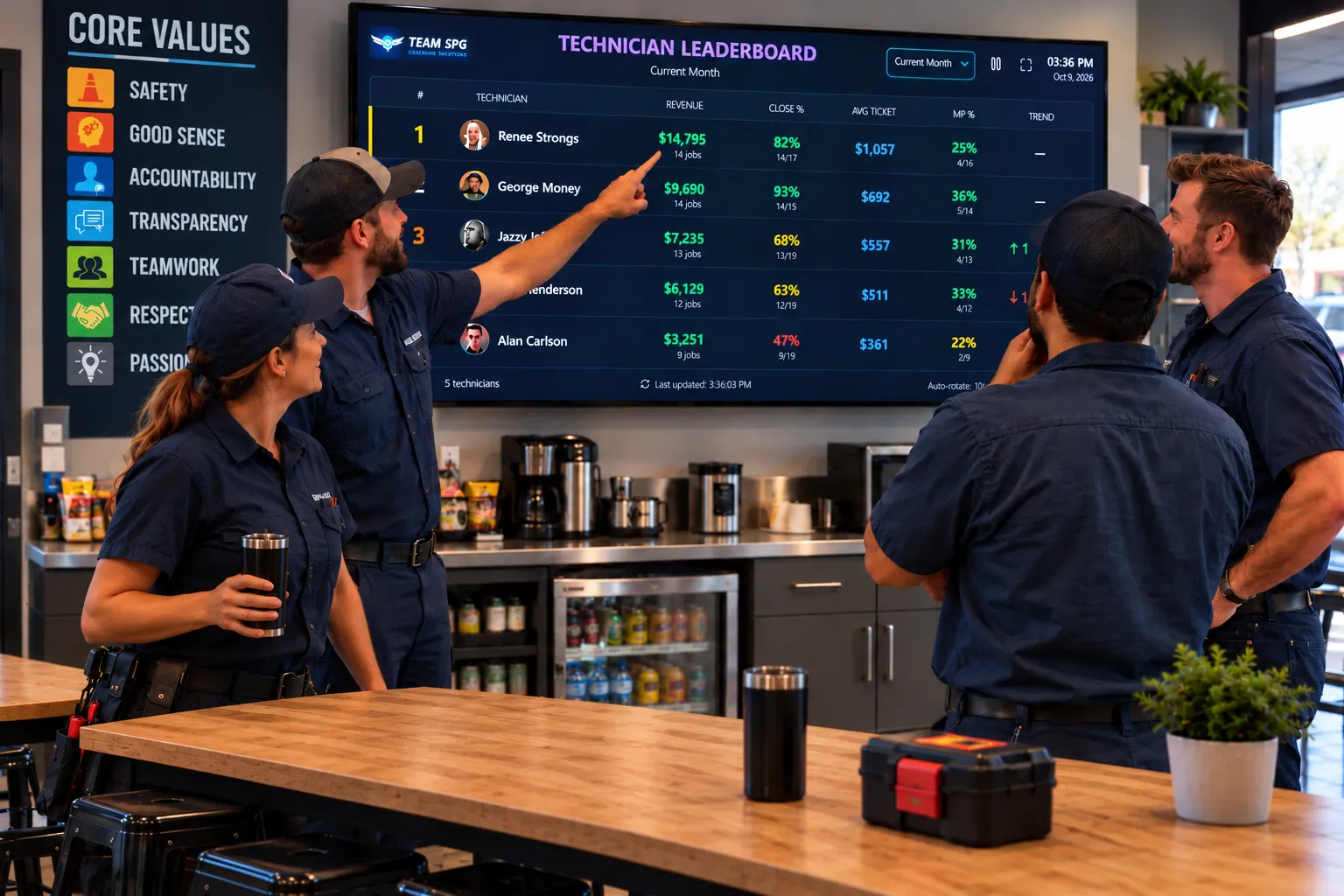
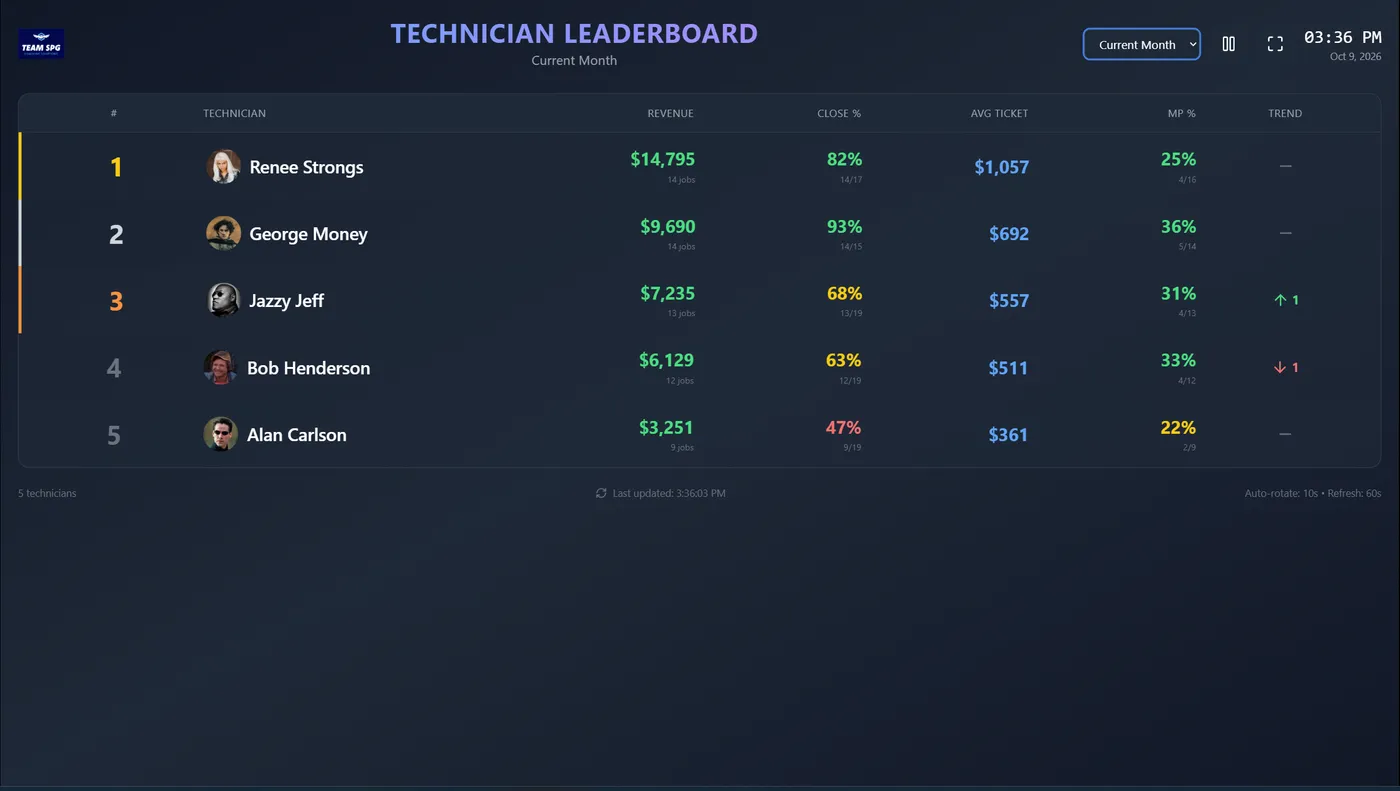
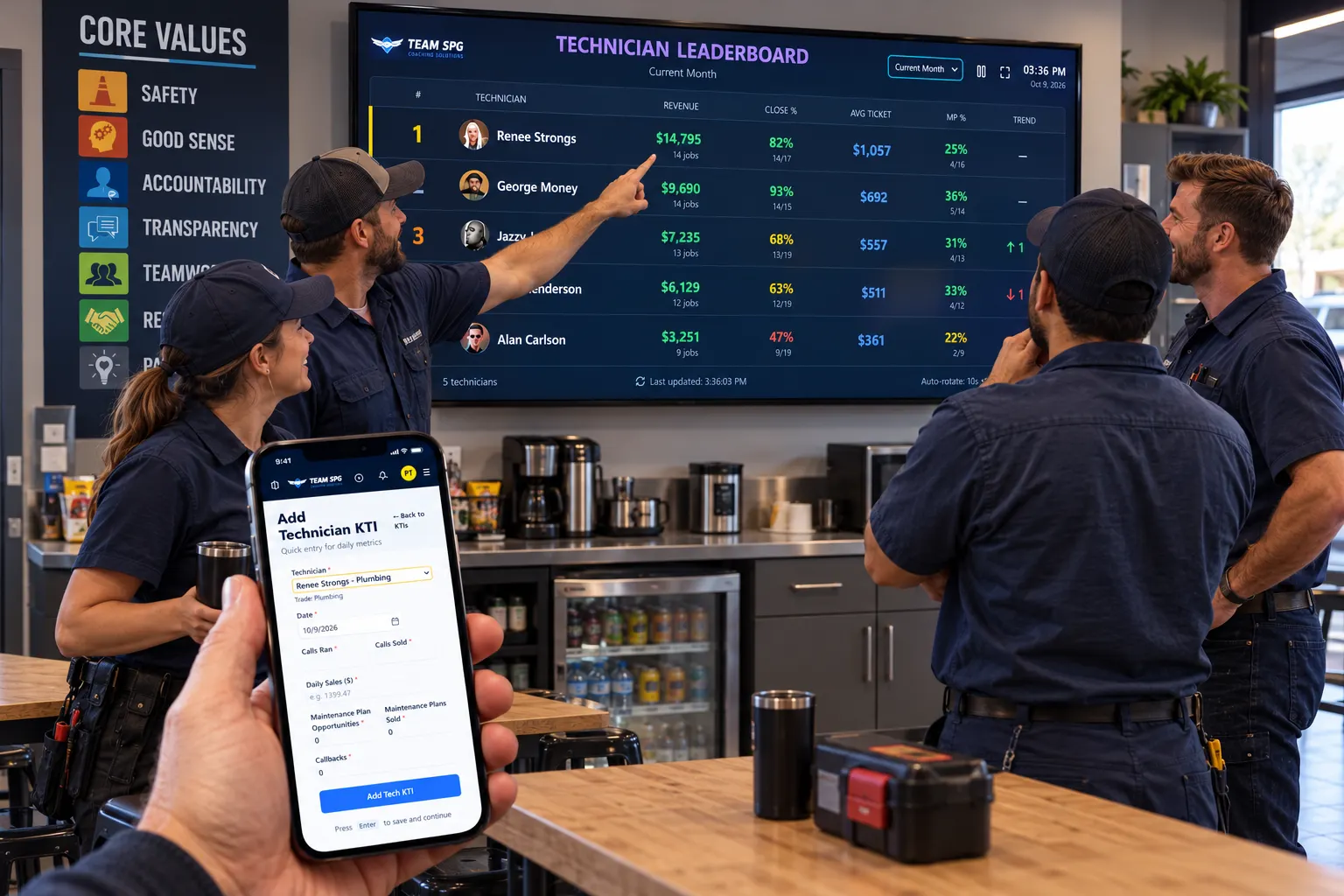
The TV Leaderboard ranks your techs by revenue, close rate, average ticket, and maintenance plans, live, on any TV in the shop. It is part of SOS, the free software from Team SPG.
Free forever. No credit card. No coaching contract.
Why it works
Most techs want to win. Most shops never show them the score. A board on the wall turns the numbers you already track into something the team talks about every day.
The board is in the break room, not in a report. Nobody has to be told to look at it.
When the top close rate and average ticket are on the wall, the rest of the team knows what good looks like.
The board shows the numbers for you. You spend your time training the techs at the bottom instead of reminding them.
What is on the board
Pick the period from the top of the screen: current month, last month, year to date, or the last 30 days. First, second, and third place get gold, silver, and bronze.
Set goals and track performance
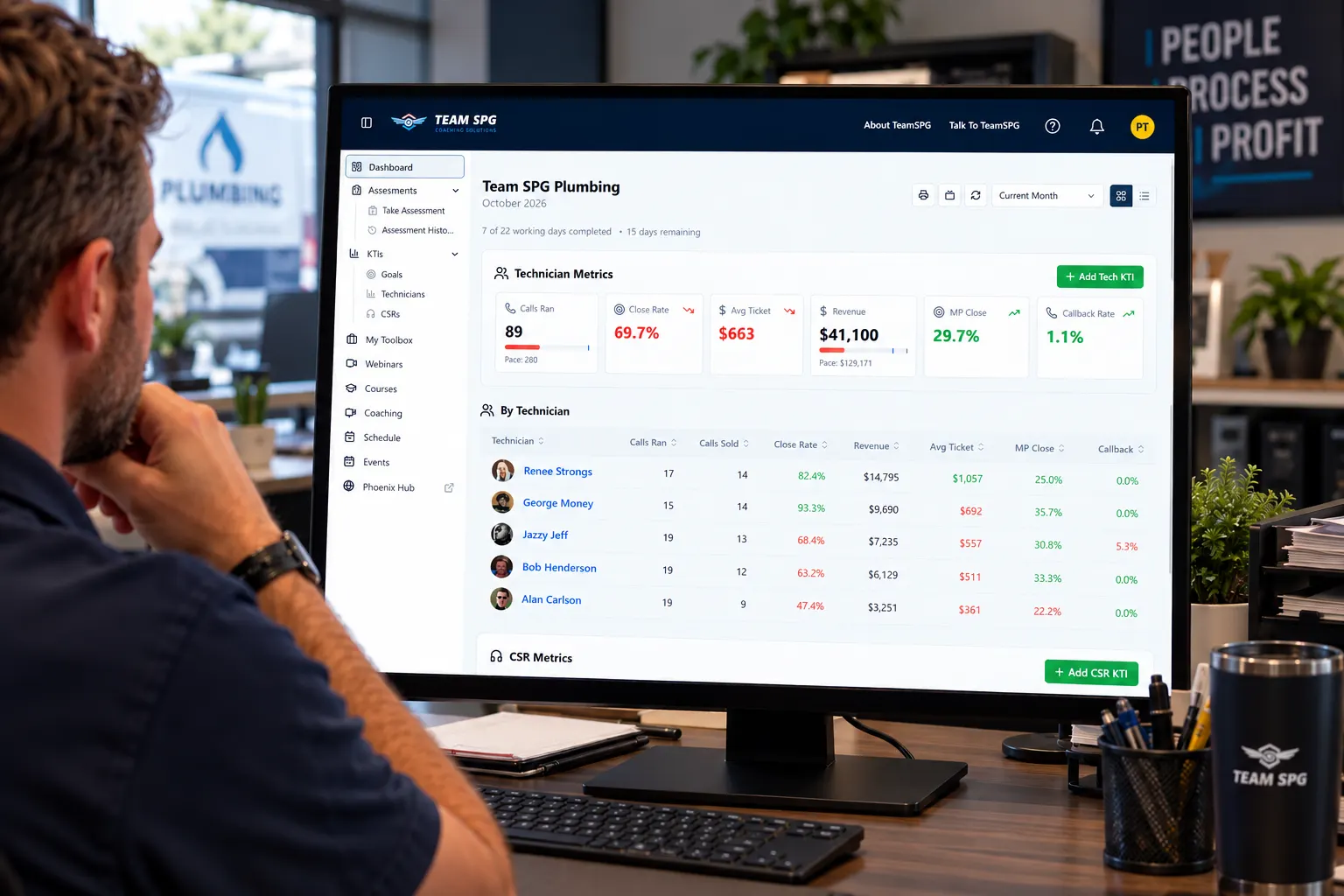
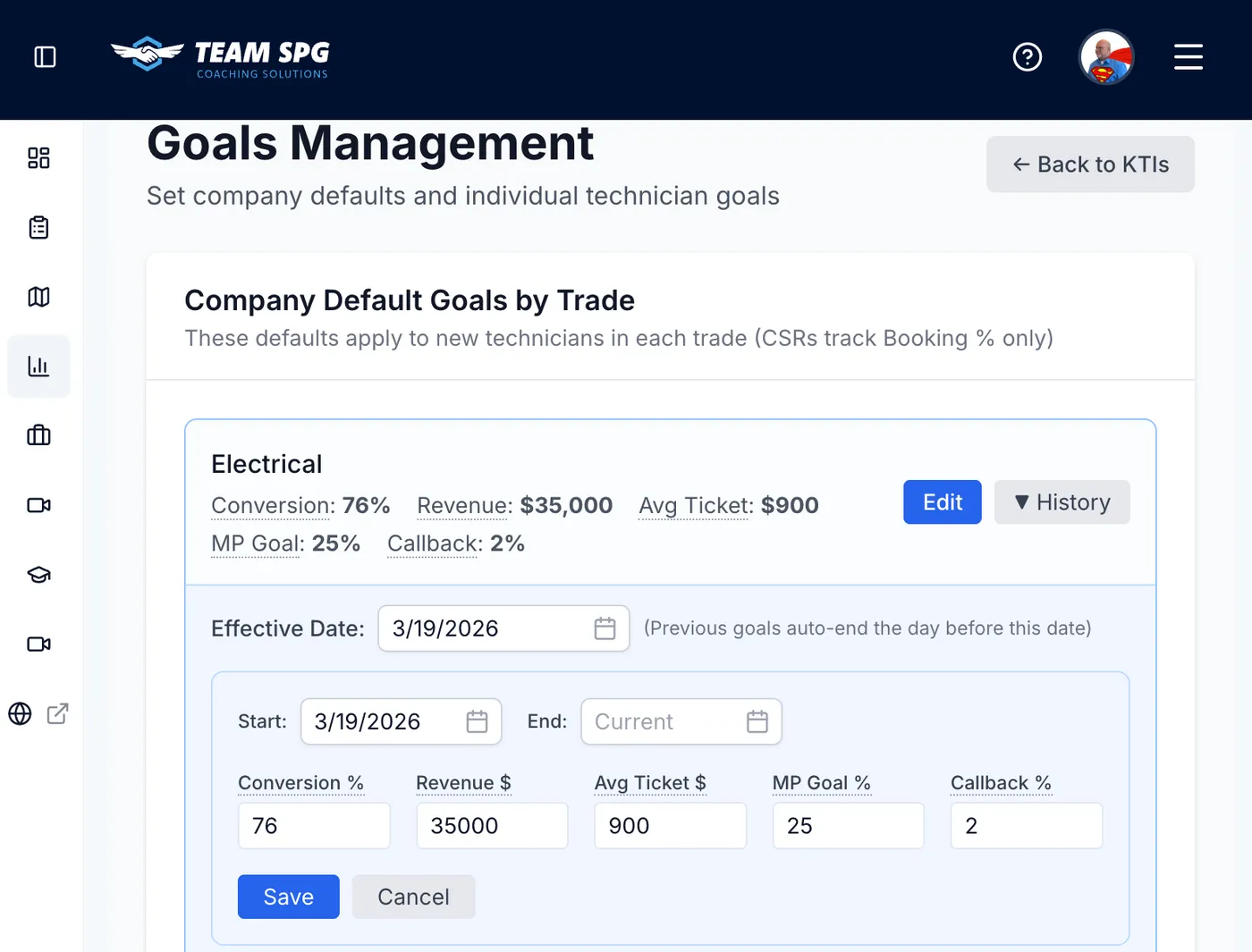
Set a close rate, average ticket, and maintenance plan goal for each trade. Every number on the owner dashboard turns green or red against that goal, so you know who to train and on what.
The leaderboard and the dashboard read the same numbers. Techs see the ranking. You see the reason behind it.
Enter numbers from anywhere
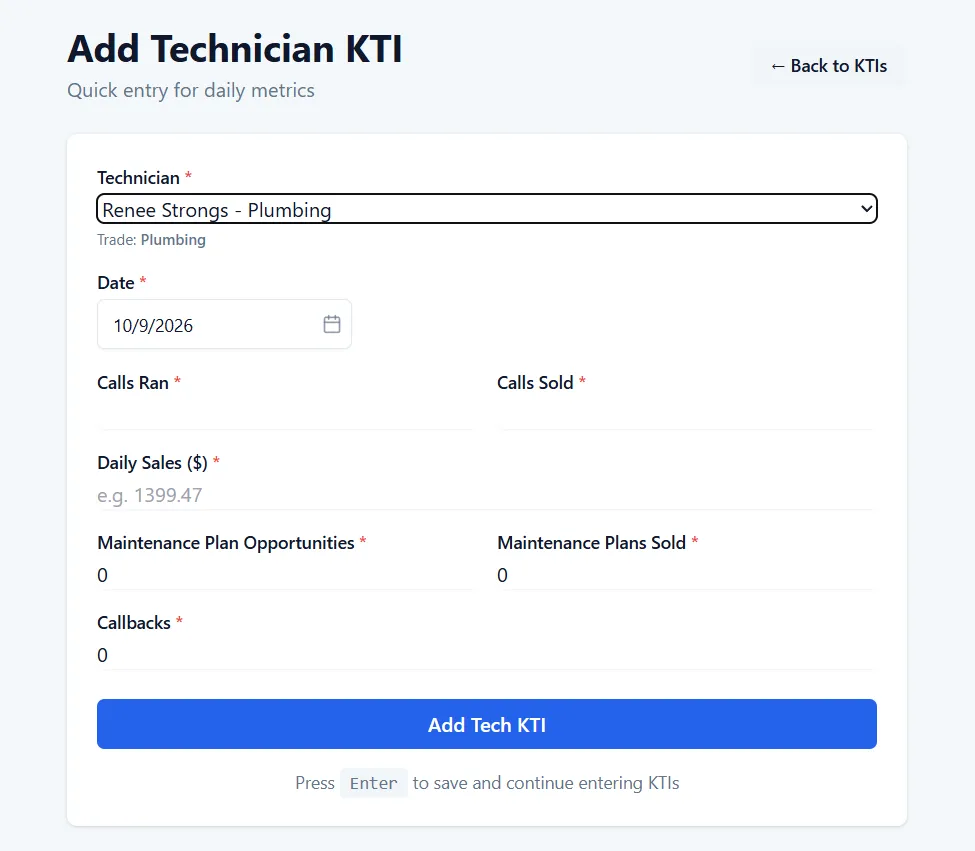
A tech, a dispatcher, or you can enter the day's numbers from a phone or a computer: calls ran, calls sold, revenue, maintenance plan opportunities and sales, and callbacks. Press Enter to save and move to the next tech.
Already have the numbers in a spreadsheet or your field service software? Upload a CSV. Either way, the TV updates within a minute.
Set up in two minutes
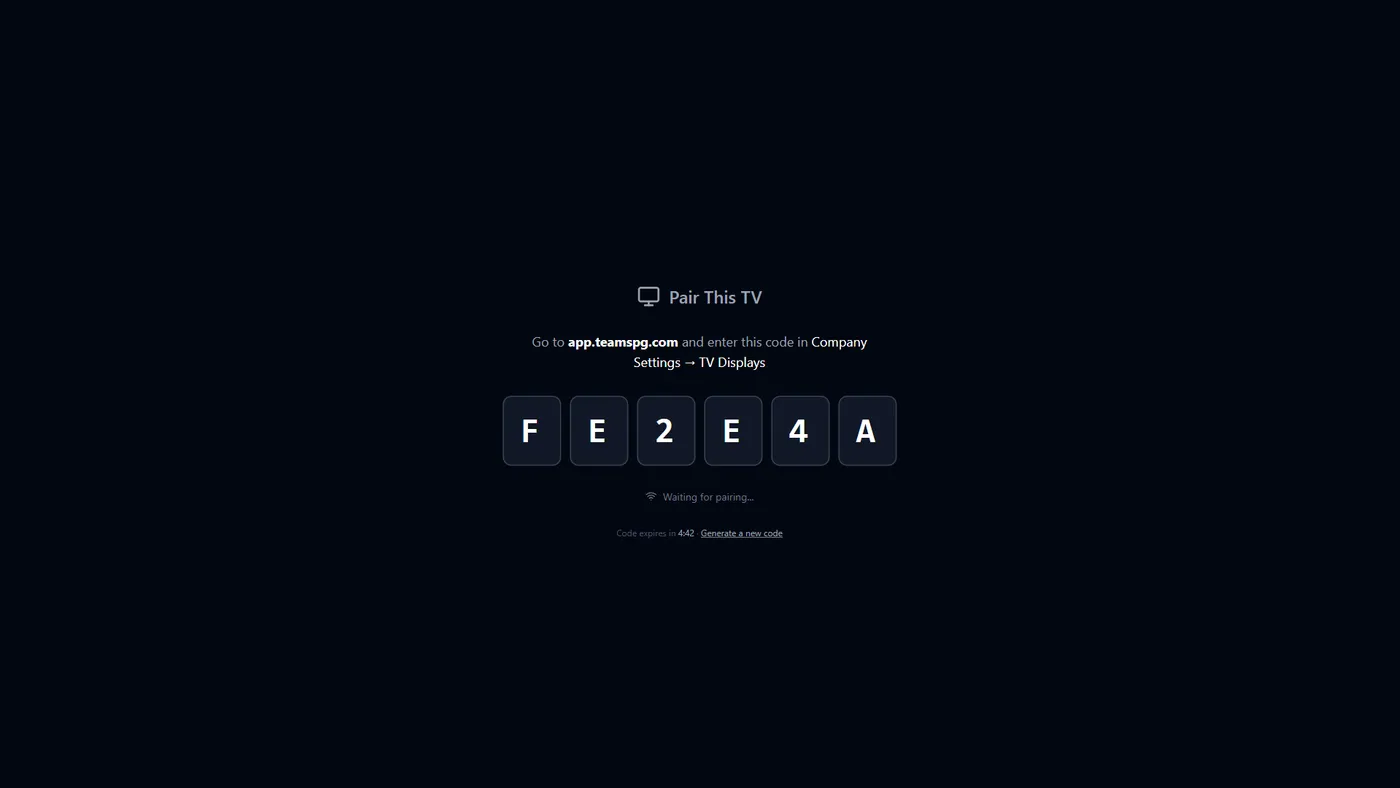
On any TV with a web browser, go to app.teamspg.com/tv. A six-character code appears.
In your SOS account, go to Settings, then TV Displays, and enter the code. Give the TV a name.
The TV goes from the code to the live board in a few seconds. It remembers the pairing after a restart.
The leaderboard is free. So is the rest of SOS: KTIs, goals, assessments, starter courses, and a login for every person on your team.
Yes. The leaderboard is part of the free SOS level, along with technician and CSR KTIs, goals, assessments, and starter courses. There is no credit card and no time limit.
It works on any TV that can open a web page. That covers most smart TVs. For an older TV, plug in a laptop, Chromebox, or a streaming stick with a browser. The TV does not need a login. It is paired with a code you can revoke at any time.
From the KTIs your techs or office enter in SOS. Enter them from a phone or computer, or upload a CSV. The board refreshes every 60 seconds, so a number entered at the truck shows on the TV within a minute.
The board shows the period you pick: current month, last month, year to date, or the last 30 days. Use the board to celebrate the top. Handle the bottom in private, with training. A tech who is shamed in front of the room stops entering numbers.
Not yet. The TV Leaderboard ranks technicians only. CSR booking rate and maintenance plan numbers are on the CSR KTIs page inside SOS.

Free software for the trades
Create your free SOS account, add your techs, enter today's numbers, and pair the TV. The whole thing takes less than an hour.
Create your free accountFree forever. No credit card. No coaching contract.